Answer from any buffer
Pending permission requests appear in every mode line, and C-c c a lets you allow
them without switching buffers.
Global keybindings
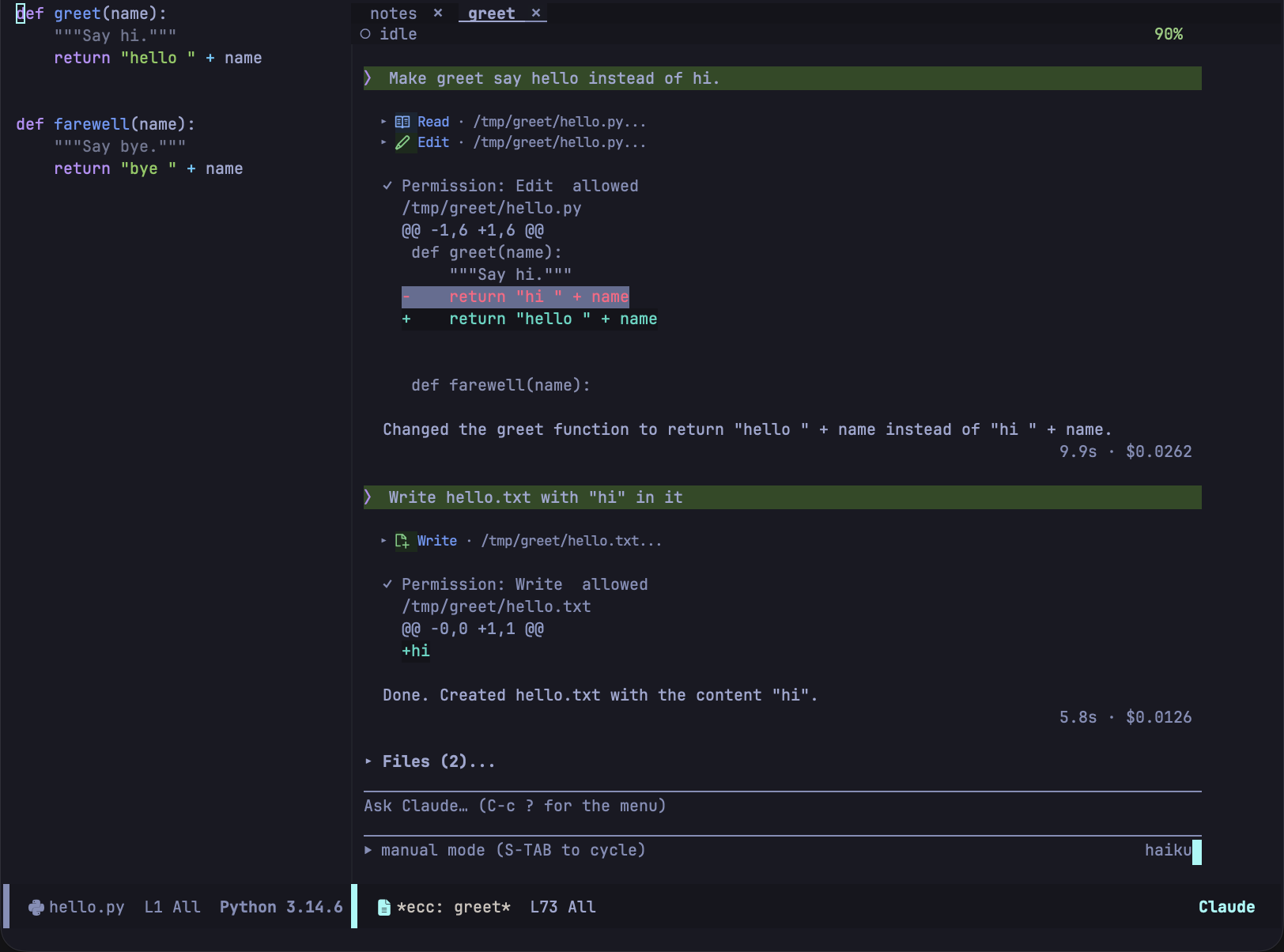
ecc runs claude headless, communicates over pipes using its stream-json protocol,
and renders the conversation directly in ordinary Emacs buffers. The transcript is
read-only text, so isearch, occur, and M-w work just as they do anywhere in Emacs.
Permission requests, diffs, and plans can be answered with a single keystroke, either
from the transcript or from whatever file you are editing.
Answer from any buffer
Pending permission requests appear in every mode line, and C-c c a lets you allow
them without switching buffers.
Global keybindings
Review the change, not the claim
Review all session changes in a unified diff, add comments hunk by hunk, and send them back as a single prompt. Review and plan mode
Send editor context
@region, @cursor, and @diagnostics are expanded before the prompt is sent,
and answers can appear in an overlay directly above your code.
Prompt and transcript
Manage multiple sessions
Track multiple concurrent tasks with a unified dashboard, per-session tabs, and clear indicators for sessions awaiting your response. Session management
Hand off to the terminal
ecc-tui-open hands off the conversation to the CLI’s native interface, and
ecc-tui-return brings it back.
Transient menu
Safe by default
Permission prompts default to deny, the loopback MCP server is disabled by default, and evaluating Elisp requires explicit opt-in. Configuration
Emacs 29.1+ and the claude CLI are the only requirements; no external packages are needed.
Start with the overview, then check the
installation guide.