Other features
Capabilities
Section titled “Capabilities”Press y in the transient menu or C in the dashboard to inspect active session capabilities reported by the CLI during system/init: skills, subagents, slash commands, MCP servers, and plugins. Items are grouped by origin (project, user configuration, plugin, or built-in).

Press TAB to expand or collapse groups, RET to inspect the item at point, and g to refresh. The buffer indicates when no capabilities have been initialized yet prior to the first turn.
Press U in the transient menu, C-c c U, or run M-x ecc-usage to view Claude Code plan usage and rate limit status.
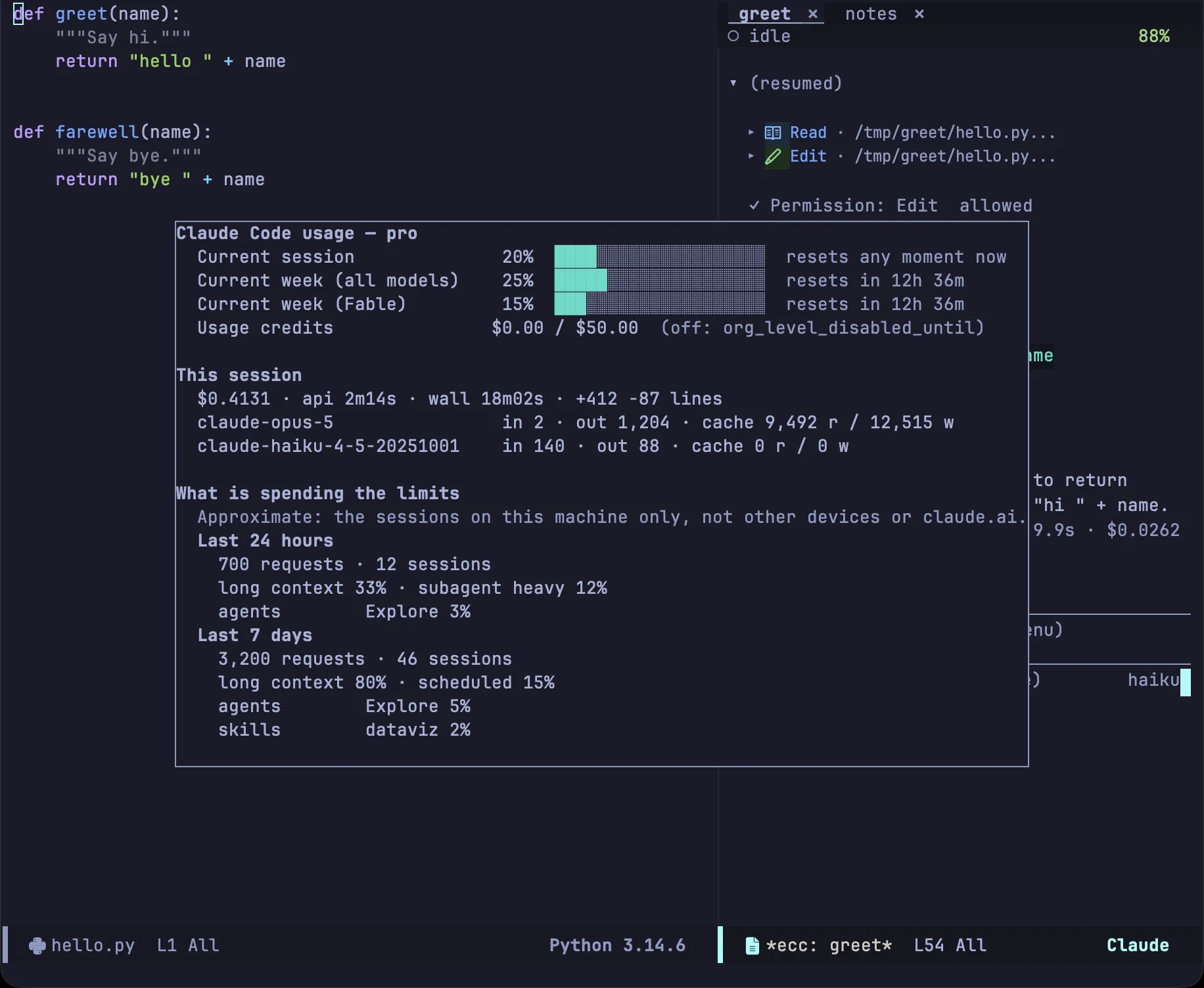
Metrics come directly from the CLI — identical to what appears under Settings → Usage in the web client — without local estimation. If no session is currently active, ecc launches a temporary CLI query and stops it immediately; no prompt is sent, so querying incurs no token cost.
| Key | Action |
|---|---|
g |
Refresh usage metrics |
b |
Toggle breakdown of rate limit consumption |
q |
Dismiss report |
ecc-usage-display controls whether the report floats over the frame (using posframe) or appears in an ordinary window. The breakdown scans session activity recorded on this machine; activity on other devices or claude.ai is not included.
All configuration options are listed in the configuration reference.