C-c ? in a session buffer, C-c c ? from any buffer, or M-x ecc-menu opens the menu, built with transient. C-g closes it. A line starting with - is a switch for the command after it.
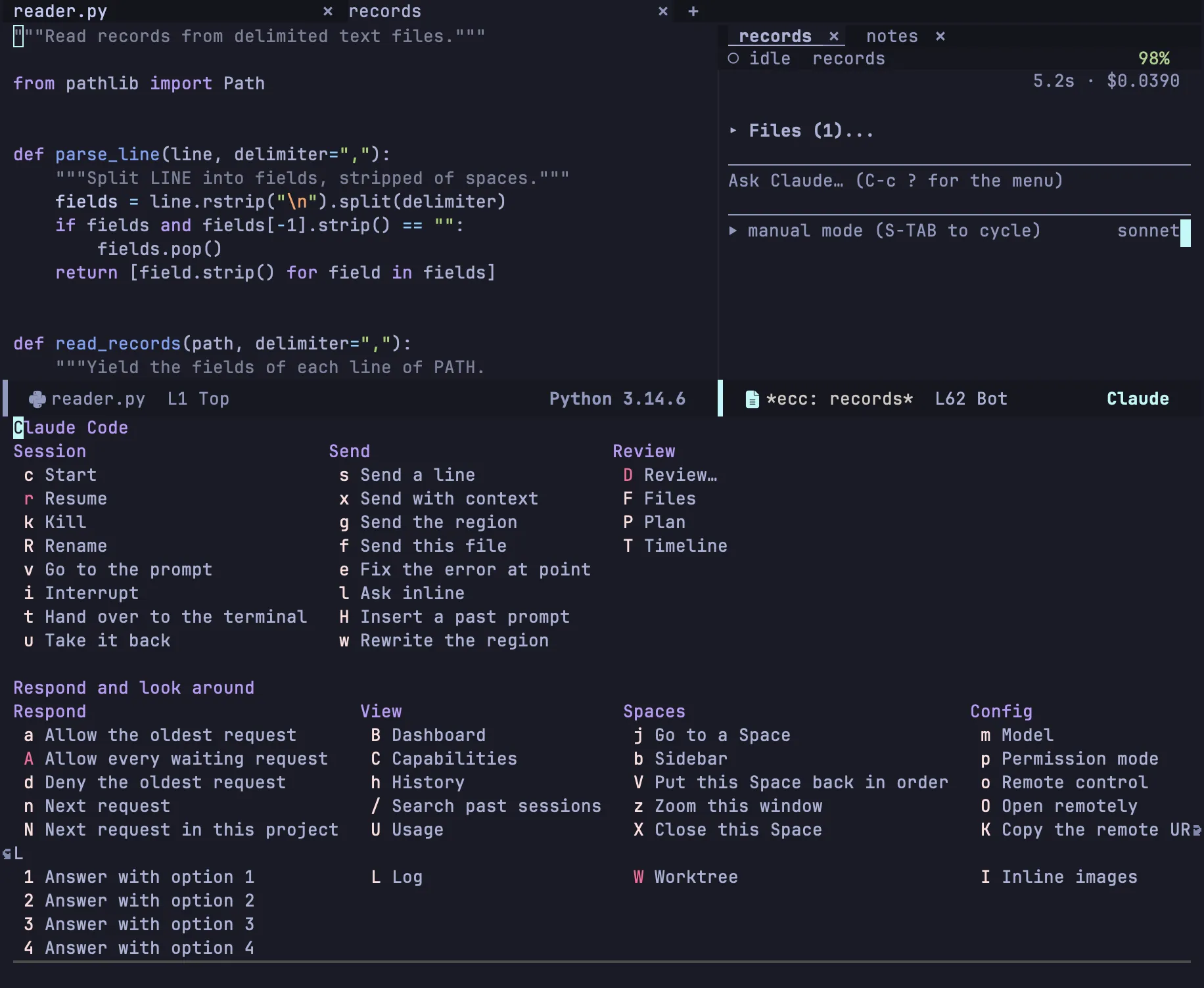
The menu acts on the session of the current buffer. Elsewhere it takes the project’s only session, the only session on the screen, or the session used last; when that is ambiguous, it asks once and remembers the answer for the buffer.
| Key |
Action |
See |
c |
Start a session (C-u c asks for the directory and the name) |
Sessions |
r |
Resume a conversation (-f forks it) |
Resuming |
k |
Stop the process and kill the buffers; the recording stays |
Sessions |
R |
Rename the session |
Sessions |
v |
Show the session and go to the prompt |
Sessions |
i |
Interrupt the turn |
Sessions |
t / u |
Hand over to the terminal / take it back |
Handing over |
| Key |
Action |
See |
a / d |
Allow / deny the oldest request |
Permissions |
A |
Allow every waiting request (-r remembers the tools) |
Permissions |
n / N |
Next waiting request (anywhere / in this project) |
Waiting sessions |
1–4 |
Answer a question with that option |
Questions |
| Key |
Action |
See |
j |
Go to a Space |
Spaces |
b |
The sidebar |
Sidebar |
V / z |
Reset this Space’s windows / zoom this window |
Spaces |
X |
Close this Space |
Spaces |
W |
Worktrees: c new, o open, k remove |
Worktrees |
| Key |
Action |
See |
m |
Change the model of the running session |
|
p |
Change the permission mode |
Permission modes |
o |
Turn Remote Control on or off, to drive the session from the Claude web or desktop app |
|
O / K |
Open the session at claude.ai/code / copy that URL (needs Remote Control) |
|
I |
Show or hide images in the transcript |
Images |