A day in a Space
One way through a piece of work with Spaces: pick the project, talk it over, hand the implementation to a worktree of its own, and put both away when it is done.
Go to the project
Section titled “Go to the project”C-c c j (ecc-space-goto) asks which Space to go to. The list is not only what is open: every project you have ever started a session in is offered, because ecc reads the CLI’s recordings. A project you worked in last month, with nothing running and no tab, is one RET away.
Picking one adds it to the sidebar and starts a session there.
Talk it over

Section titled “Talk it over”The session opens beside the project’s source, and you work as usual: ask, read, answer. Sooner or later the conversation turns into an implementation, and that is the moment to get it out of this window.
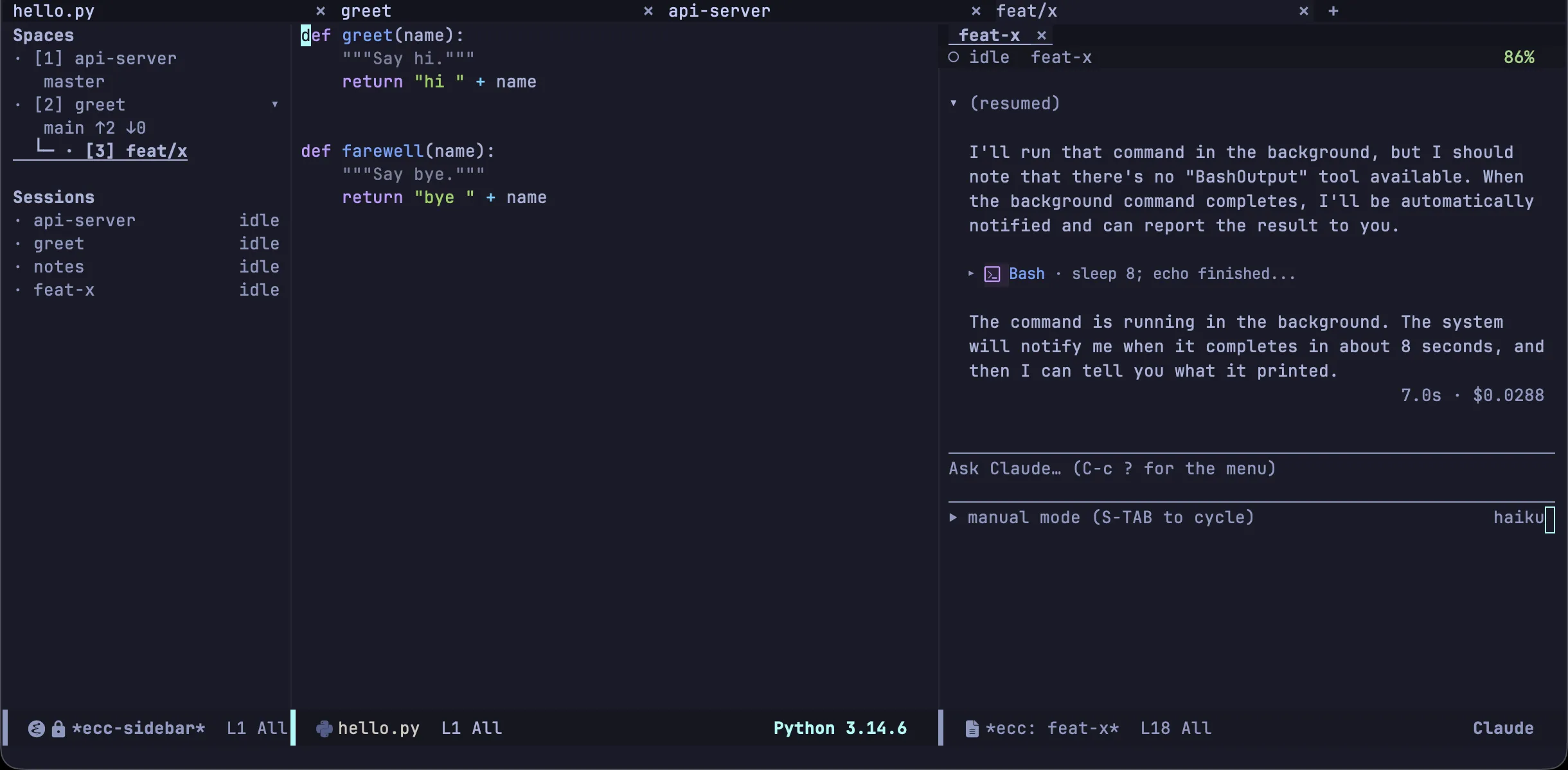
Ask for a worktree — “cut a worktree and do it there” — and, with the Emacs MCP server on (ecc-mcp-enabled), Claude calls start_worktree_session. Emacs makes the worktree, opens it as a Space of its own under the repository, starts a session in it and hands that session the brief. The conversation you were in reports where the work went and carries on.
Put it away
Section titled “Put it away”When the implementation is done, kill the worktree session’s buffer. Its Space holds nothing else, so the Space closes and takes you back to the Space beside it, and ecc asks whether to remove the worktree’s directory as well. The branch stays either way.